
Many functional safety professionals fall into the "Numbers Trap," assuming that meeting a PFDavg (or PFH for High/Continuous mode) PFH target automatically guarantees SIL compliance. However, achieving a truly safe and compliant Safety Instrumented Function (SIF) requires much more than just a passing mathematical probability.
In this webinar, we break down the three mandatory performance criteria mandated by IEC 61511 and IEC 61508. We will explore why the SIL achieved is only as strong as its weakest link and how ignoring architectural constraints or systematic capability can lead to over-designed capital expenses or, worse, hidden operational risks.
Key Discussion Points:
- The Three Barriers: A deep dive into Probabilistic Performance (PFDavg/PFH), Minimum Architectural Constraints (HFT), and Systematic Capability.
- Hardware Fault Tolerance (HFT): Navigating the complexities of Route 1H vs. Route 2H and understanding how equipment selection impacts your redundancy requirements.
- The SIDA Requirements: How to ensure your SIF functions as a truly Independent Protection Layer (Specific, Independent, Dependable, and Auditable).
- Use of Realistic Failure Data: How to verify that the failure rate data you are using is credibale and realistic
- Avoiding the Pitfalls: How to prevent nuisance trips and operational burdens through correct SIL Verification.
Join us to learn how to move beyond simple calculations toward a holistic, compliant, and defensible safety lifecycle.
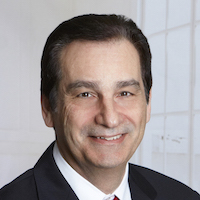 Dr. Steve Gandy has been with exida for 13 years as VP of Global Business Development. Dr Gandy has 40+ years of experience in industrial automation controls and safety. Dr. Gandy is head of exida Engineering and is a director of several of exida’s subsidiary companies. In addition to his sales and management responsibilities, Dr. Gandy has written the "Functional Safety For Managers: What Managers Need to Know" book, as well as "Managing In An Automation Company", and published and presented numerous papers at conferences. Dr. Gandy is also one of the primary instructors for exida’s highly successful FSE100 Functional Safety course.